

MitID Branding Requirements
This page details all MitID branding obligations for relying parties integrating MitID through Trinsic. The guidelines below are derived from the official MitID UX scheme, which contains specific branding, design, and technical requirements established by the MitID Partnership (Danish Agency for Digitisation and FR1 A/S).
Requirements are expressed with "must" or "comply" throughout this document. When a requirement does not apply to your specific implementation (for example, if you do not use certain MitID UI elements), you may disregard those specific requirements.
Branding, colors, and typography
Wordmark – how to write "MitID"
When referring to MitID in text (headings, labels, or paragraphs), always use the correct wordmark. The wordmark is case-sensitive; do not alter the spacing or capitalization.
Requirements:
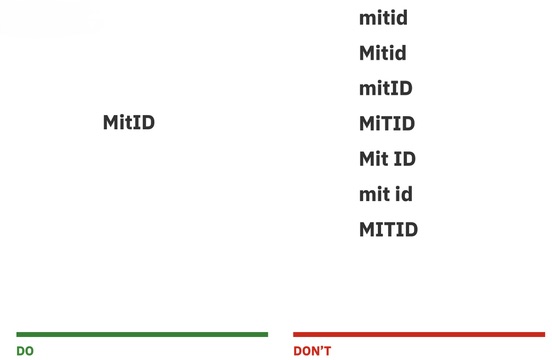
-- Use "MitID" exactly - capital M, lowerface it, capital ID
-- Do not insert spaces ("Mit ID" or "mit id"), change the capitalization ("MITID", "MitId", "mitID"), or use other spellings
-- The wordmark must appear whenever MitID is mentioned in a sentence, title, or description
Authenticators and icons
MitID offers several authenticators. When describing them in your application, you must use the correct names and official icons (contained in the .zip file below).
Icon colors:
- Dark background icons:
#001C44 - Light background icons:
#FFFFFF(white)
Authenticator names:
| Authenticator | English Name | Danish Name | Greenlandic Name |
|---|---|---|---|
| App | MitID app | MitID app | MitID app |
| Code display | MitID code display | MitID kodeviser | MitID kodenik nuisitsivik |
| Chip | MitID chip | MitID chip | MitID chip |
| Audio code reader | MitID audio code reader | MitID kodeoplæser | MitID kodenik atuaasartoq |
| Password | Password | Adgangskode | Kode isisstut |
Requirements:
- Do not rename the authenticators or translate their names outside the approved translations shown above
- Always place the appropriate icon next to the authenticator name
- Use only official icons obtained from Trinsic
Typography
Typography is strictly defined to reinforce the MitID brand. If you create marketing material within the MitID design universe, the IBM Plex Sans typeface must be used:
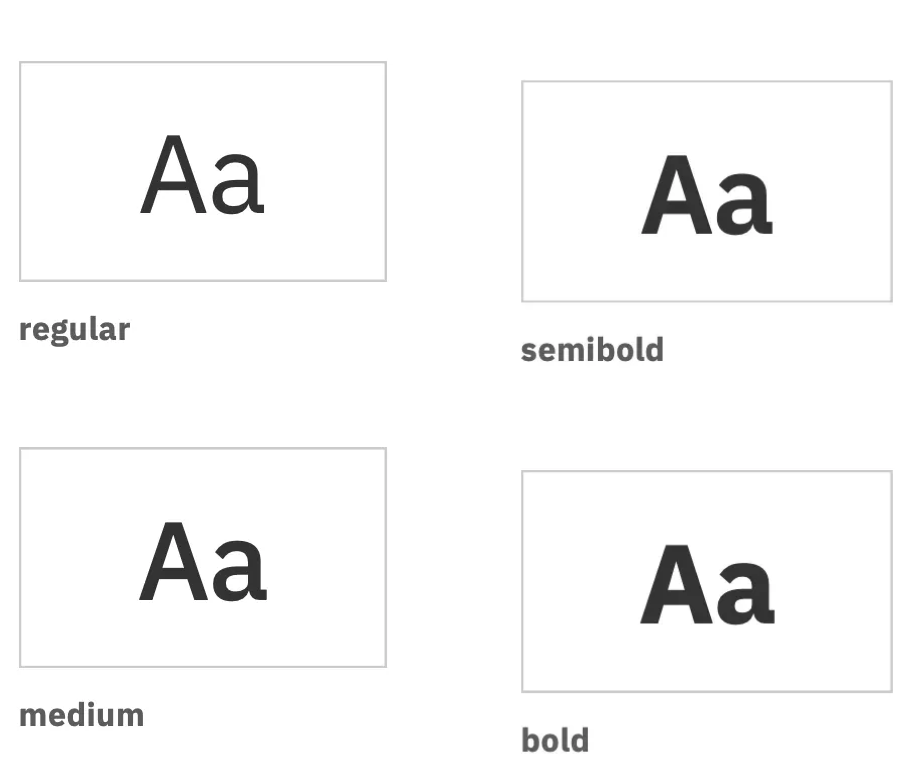
--Headers: IBM Plex Sans Bold
--Component labels and buttons: IBM Plex Sans SemiBold
--General text: regular or medium weights as appropriate
Call-to-action (CTA) buttons
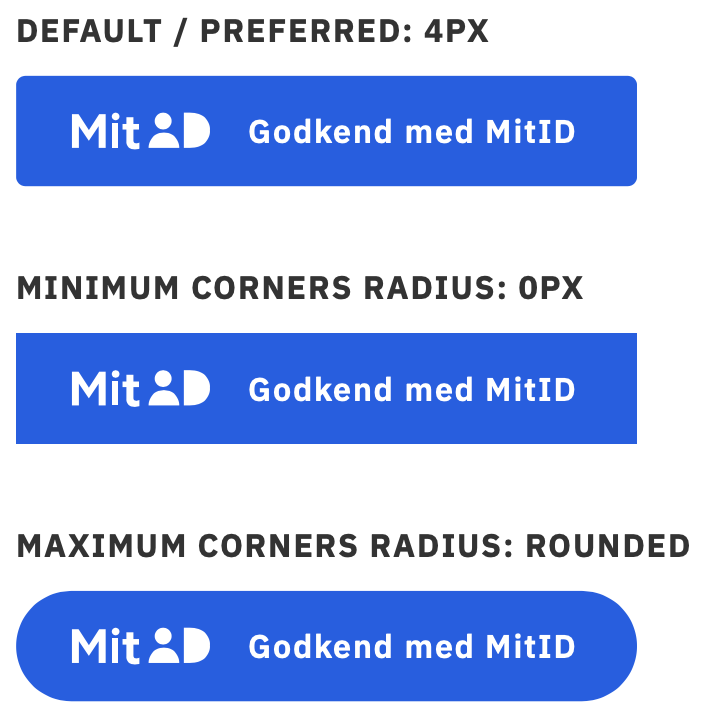
The MitID CTA button invites users to authenticate. If you use the blue MitID button, you must follow the specifications below. The button must be a <button> or <a> element to ensure keyboard and screen-reader accessibility.
Button design parameters:
| Parameter | Requirement |
|---|---|
| Background color | Primary MitID blue #0060E6 |
| Hover color | Darker blue #004CB8 |
| Text color | White #FFFFFF |
| Height | Preferred 48 px; minimum 32 px |
| Corner radius | Preferred 4 px; minimum 0 px; maximum fully rounded |
| Padding | 24 px from the left/right edges; 16 px between the icon and the action text |
| Font | IBM Plex Sans SemiBold |
Approved button text:
| Danish | English | Greenlandic | Usage |
|---|---|---|---|
| Log ind med MitID | Log on with MitID | MitID atorlugu iserit | Use when users are logging in |
| Godkend med MitID | Approve with MitID | MitID atorlugu akuersigit | Use to approve an action |
| Bekræft med MitID | Confirm with MitID | MitID atorlugu uppernarsaagit | Use to confirm information |
| Acceptér med MitID | Accept with MitID | MitID atorlugu akuersigit | Use when accepting terms or agreements |
| Underskriv med MitID | Sign with MitID | MitID atorlugu atsiorit | Use to request a signature |
Requirements:
- Use a semantic
<button>or<a>element for accessibility - Buttons must follow the design parameters above
- The button text must match one of the approved action texts; translations must not be altered
- The text should use sentence case
- Do not embed your service provider name in the button text
UI customization
MitID authentication page
The MitID authentication takes place on a landing page hosted on the mitid.dk domain. You may customize the area around the MitID authentication box but must never change anything inside the box itself. Trinsic allows for customization within the following constraints:
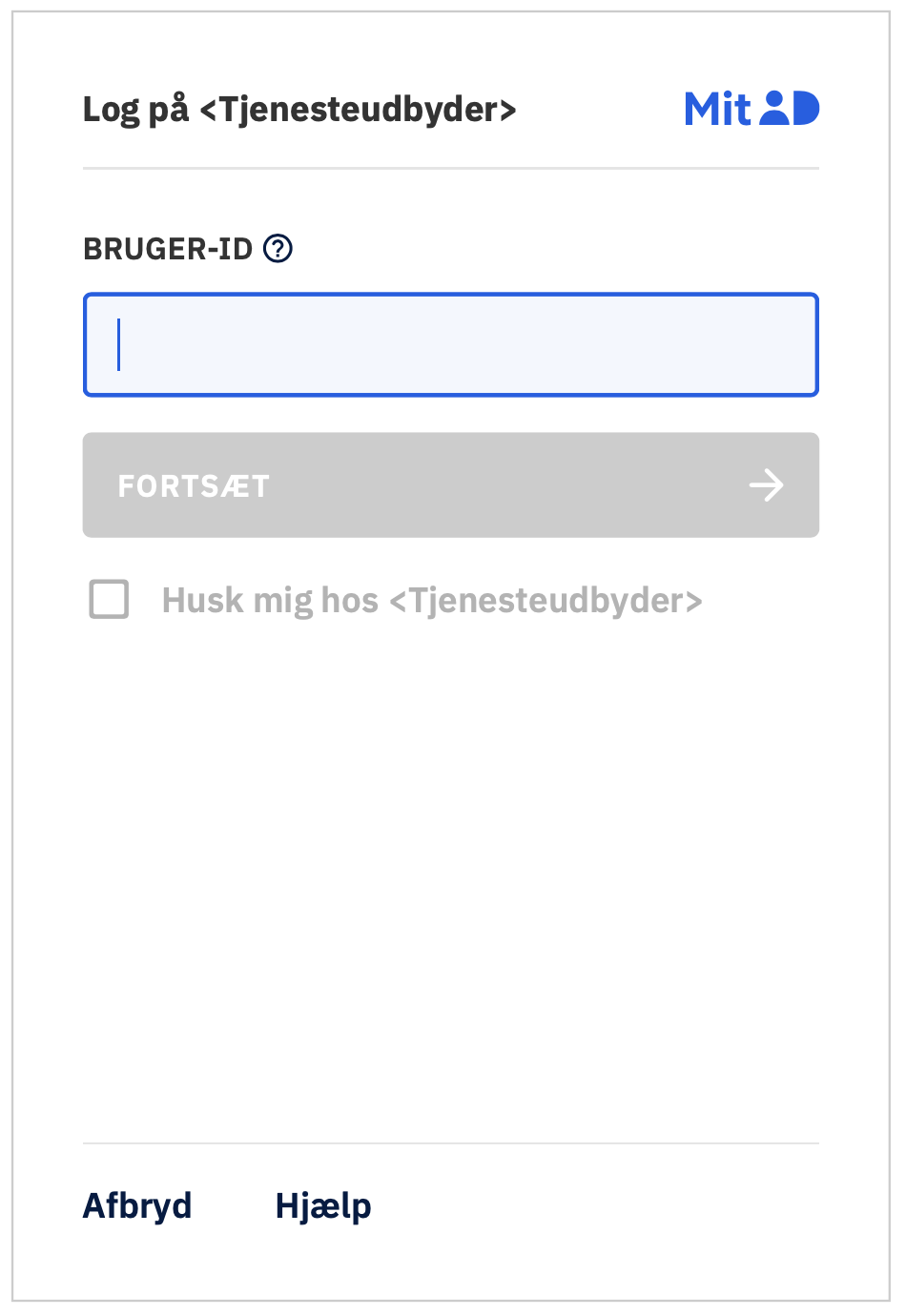
-- You may change background colors, add images, or adjust typography outside the MitID box with a custom graphical profile
-- Logos may be added in the header region to the left; maximum size 150 × 40 px with adequate padding
-- When using background images, select appropriate web-friendly formats (PNG, JPEG, SVG) and optimize file size for performance
-- Maintain sufficient color contrast to meet WCAG accessibility guidelines
-- The MitID box (white area) is placed at the center of the landing page and has a minimum height of 588 pixels
-- Always allow MitID UI elements to fill the entire viewport width on mobile devices
-- Keep the "Powered by Trinsic" text and the links to MitID Support and Privacy Policy shown beneath the box
Relying party (”service provider”) name
Your name* is shown in several places in the MitID interface, including the reference-text header and the "Remember me at …" text. You will provide this name to Trinsic during your MitID onboarding process.
- Note: this guide is written with a “relying party” in mind, which is called a “service provider” in the MitID ecosystem. If you’re a reseller of Trinsic’s services, you may complete these steps on the relying party’s behalf.
Requirements:
- Maximum length: up to 32 characters in the reference-text header so it remains visible on all screens
- If the name is longer, the header will wrap to a second line; plan how the break occurs
- Names that exceed the available space will be truncated with an ellipsis (
…). Consider using a shorter version for very long names - Use a name that end users recognize and avoid legal suffixes like "Aps" or "A/S"
Reference text (header and body)
Reference text helps users understand why they are being asked to authenticate. It consists of a header (action text + your service provider name) and an optional body that you can customize.
Requirements:
- The reference-text body may describe details such as account numbers, transaction amounts, or other context
- The body is limited to 130 characters
- The action text in the header must correspond to the action used on the button
- Keep the text concise and clear; avoid marketing language
- Provide enough detail that users can recognize the transaction but do not include sensitive information
Technical requirements
Launching MitID
When integrating MitID, you must invoke the authentication page according to the following requirements.
Requirements:
- MitID flows should use a full-page redirect (recommended)
- A popup window is permitted (for example on desktop) but should alert users that a new window will open
- The MitID client may not be used in an iframe – this is explicitly disallowed by MitID
Mobile and native apps
When integrating MitID in native mobile applications, you must follow specific requirements to ensure security and proper domain validation.
Requirements:
- In native apps, you must open the MitID page in a MitID-compatible browsing component, not a generic WebView
- Use Chrome Custom Tabs on Android or SFSafariViewController on iOS
- You should clearly show that users are on a legitimate
mitid.dkdomain with a secure (TLS) connection - You must provide guidance for installing the correct MitID app or verifying legitimacy if your app environment does not display a URL bar
Security best practices
In addition to complying with applicable laws (such as GDPR), you should:
- Validate the authenticity of authentication responses from Trinsic
- Perform at least one annual assessment of your integration and share the report if requested
- Use strong transport security: TLS 1.2 or higher, SHA-256 or better cipher suites, and perfect forward secrecy
- Support CRL/OCSP for certificate revocation, CAA DNS records, and HSTS
Updated 9 months ago