

Philippines National ID
Overview
The Philippines National ID refers to both the plastic card, and the National ID in Paper Form (previously called ePhillID), both of which have a QR code that can be scanned and validated against the Philsys database to ensure validity.
- ID:
philippines-physical-national-id-qr - Type: eID (card)
- Category: eID Cards
- Verification Type: Enrichment
- Regions: Asia
- Countries: PH
- Adoption: 90,737,910
- URL: https://philsys.gov.ph/ephilid/
Integration with Trinsic
Philippines National ID verification is integrated into Trinsic's identity acceptance network allowing businesses to verify users against the government system of record in the Philippines.
- Permission required: Yes, this method requires registration before you can activate it for your users. Please contact Trinsic to begin this process.
- Cost: Contact the Trinsic team.
User Flow
To verify a National ID Card or National ID in Paper Form (previously ePhilID), the user uploads a photo or official PDF containing the QR code. Trinsic then validates the attributes against the government source of truth and returns the attributes listed above along with a confirmation that the identity is still valid.
How to Test
While using a test mode App, launch the widget or the provider directly.
- Upload the test QR image below and submit.
- At the end, you will be presented with test data for the verification session.
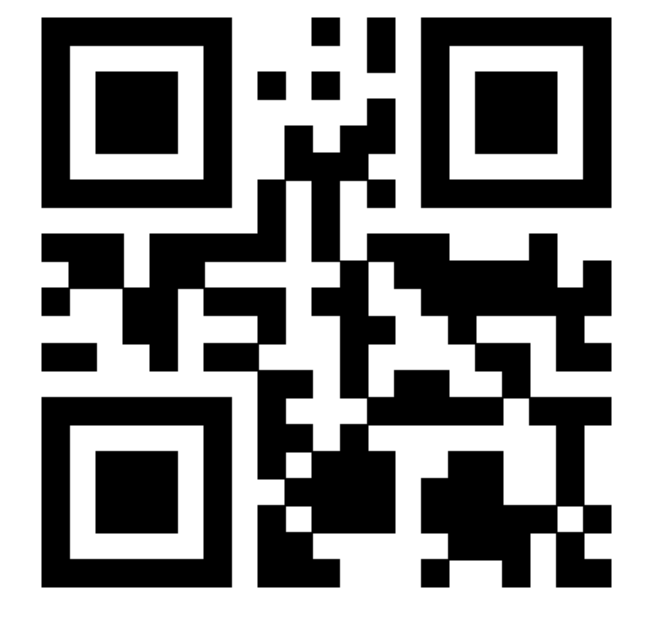
Direct API Requirements
Direct API is not a requirement.You can integrate with this provider using the Hosted UI instead, with no additional integration requirements on your end.
What your integration must support in order to use this provider with the Direct Provider Sessions API.
- Supports Direct Provider Sessions: ✅
- Launch Method:
None— No user-facing action is required to start the flow. - Collection Method:
PollResult— Results arrive asynchronously; poll with theresultsAccessKeyreturned at session creation. - Requires Input: This provider requires input before verification can proceed.
- Trinsic-Hosted UI: A Trinsic-Hosted Fallback UI exists for this provider, which may be invoked to cover gaps in your integration's capabilities.
Outputs
Normalized AttributesThese attributes form part of our normalized model, a standardized set used across providers. Trinsic normalizes this for you and lets you know when a property is available for each provider.
| Field | Availability | Notes |
|---|---|---|
person.givenName | Always | - |
person.familyName | Always | - |
person.middleName | Always | - |
person.suffix | Sometimes | If available |
person.dateOfBirth | Always | - |
person.sex | Always | - |
document.type | Always | - |
document.number | Sometimes | If user submits a Digital National ID |
document.issueDate | Always | - |
document.issuingCountry | Always | - |
document.issuingAuthority | Sometimes | If user submits a Digital National ID |
attachments.documentPortrait | Sometimes | If a portrait is available |
| Field | Optional | Description | Example Values |
|---|---|---|---|
philsysCardNumber | Yes | The PhilSys Card Number (PCN). Every citizen or resident alien registered in PhilSys has a PhilSys Number (PSN). This number is tokenized into a card number to protect the PSN. The PhilSys Card Number is 12 characters long, and often is written in octets with dashes in between. | 1234-5678-9101-1213 |
givenName | Yes | The given (first) name of the individual. | Juan |
middleName | Yes | The middle name of the individual. | Santos |
familyName | Yes | The family (last) name of the individual. | Dela Cruz |
dateOfBirth | Yes | The date of birth of the individual. | 1985-01-31 |
suffix | Yes | The name suffix of the individual (e.g. Jr., III). | Jr. |
sex | Yes | The sex of the individual. Possible values: - Male - Female | Male |
placeOfBirth | Yes | The place of birth of the individual as recorded on the PhilSys credential. | Manila |
documentIssueDate | Yes | The date the document was issued. | 2024-03-15 |
Frequently Asked Questions
When we share the QR code with Trinsic, what is validated against the government system of record?
The QR code is shared with Philsys and returns the attributes along with confirmation that the signature from the issuing authority is valid and if the ID checks is active or revoked.
Which documents contain a verifiable QR code?
The Philippines National ID Card, the Philippines National ID in Paper Form, and the Digital National ID all contain a QR code that can be verified by Philsys. For an overview of the various forms of National ID with QR codes, view this page: https://philsys.gov.ph/the-national-id/.
How does the Philsys Biometric Match compare to verifying the QR code on an ID document?
The Philsys Biometric Match requires some attributes about the user and then prompts the user to do a Philsys-provided liveness flow, to confirm that the attributes match the user performing the liveness verification.
For identity verification in the Philippines, filter coverage by country.
Updated 5 days ago