

Testing Program
Trinsic's Testing Program lets you validate identity verification flows using real testers, especially useful when provider testing is difficult due to geographic or operational constraints.
When to use this
- You need to validate a provider in a specific geography
- You want to confirm end-to-end UX before launch
- You don't have access to real users in a required region
- You want external confirmation that a verification flow works as expected
How to submit a test request
📹 Watch: Submitting a test request (1 min)
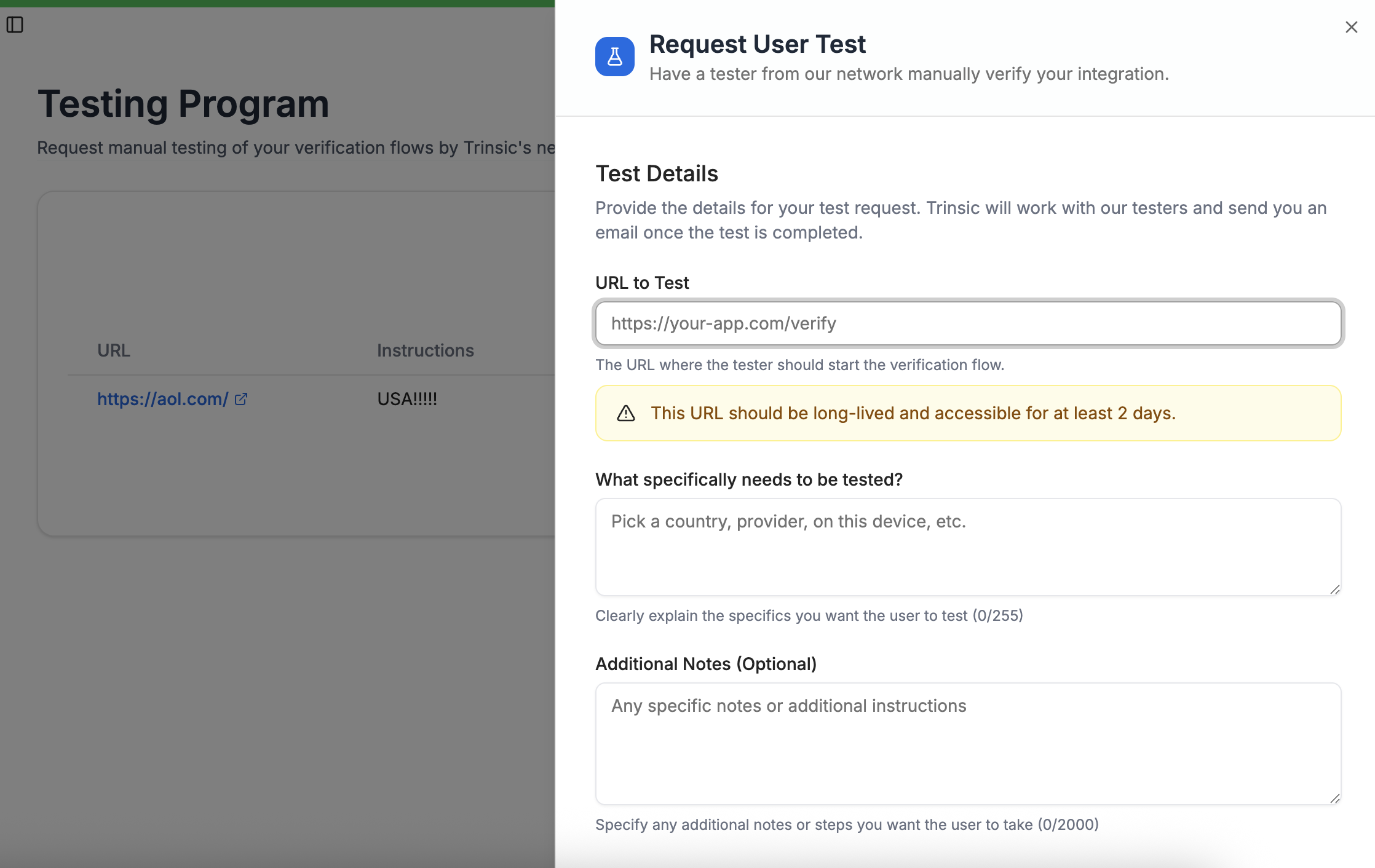
Navigate to the Testing tab in the left-hand sidebar, click New Test Request, and fill out the required details:
01 — Start URL
The URL where the tester should begin the verification flow.
- Must be long-lived and accessible for at least two days
- The tester should be able to start without additional setup
02 — What to test
Describe exactly what you want the tester to validate. The more specific you are, the faster and more accurate the test will be. Examples:
- Test a specific country and provider combination
- Complete verification on a specific device type
- Confirm a full onboarding verification flow
- Validate that a provider is reachable and functional in-region
03 — Additional notes (optional)
Any extra context to help the tester, such as:
- Test credentials or expected outcomes
- UX edge cases to watch for
- Known issues or constraints
What happens after submission
- Trinsic receives the request
- We coordinate with our tester network
- The tester completes the verification flow
- You receive an email/slack message with the outcome (and video if requested)
Updated about 2 months ago
Did this page help you?